
Knowledge Base
Articles In This Section
Adding a new User Role | BEGINNERHow to Share with Everyone on the Internet How to Archive Records Using Role Permissions | INTERMEDIATEHow to Use and Adjust Roles in Quickbase | BeginnerHow to Switch a Client to a New Quickbase Developer How to Display Information for Certain Roles in QuickbaseConditional Filters for Record Permissions Using Roles | INTERMEDIATEHow to Add New Users to your Quickbase ApplicationDenying User Access | BEGINNERSections
User Groups | BEGINNER
Quick Base has many native functions to try and improve the efficiency of its users. Creating groups is one tool available to users that can save time. Groups are one of the most efficient way to add users to a new application. Rather than adding users one-by-one by entering their email addresses and assigning their role, you can add a group which will invite all users in that group to the new app (limitation: each member in the group will initially be given the same role until it is overridden after granting access). Below, the processes for creating a group and adding and deleting members is outlined.
Creating a Group
- Click the ‘Users’ icon in the top-left of your browser;
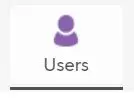
- Click the ‘Share app with new user’ button;

- Next, click the Address Book icon;

- In the pop-up, choose ‘Groups’ in the drop-down, then click ‘Create a new group’;

- Give a name and add a descriptions for your group and click ‘Create Group’
Creating a Group (Alternative if user is Billing Account Administrator)
- Click the dropdown arrow icon next to your name in the top-right of your browser. Then click the Manage Company link;

- Navigate to the ‘Groups’ tab on the left hand men
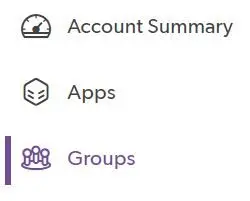
- Click the ‘+New Group’ button in the top-right corner. Then enter a group name (follow naming conventions outlined above);

Adding/Deleting Member
- Repeat steps 1 through 4 of ‘Creating a Group’ or steps 1 through 3 of *‘Creating a Group (Alternative if user is Billing Account Administrator)**;
- Click the hyperlink in the row of the group you want to add additional users to;

- In the new pop-up window, click ‘Add members or managers’ in the top-left;
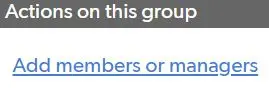
- Enter the email addresses of the users you want to add to the group and click ‘Save’.
- To delete a member, select the ‘remove’ checkbox next to their name and click ‘Save’.
Group Records
Once you have created a group and added the appropriate users, one of the most useful features is limiting user’s access to records in an application based on their group. This tool will help filter pertinent information for your users as your app grows because it automatically filters records seen by a user to only those records created by someone in their group. For example, you can group employees by region, department, etc. so they only see that region’s or that department’s records.
- Go to your App Settings;
- Click ‘Roles’;
- Choose the role you want to restrict and then in the ‘Permissions’ tab, change the ‘View’ and ‘Modify’ columns to ‘Group’s Records’ to restrict the records a particular role can view and modify.

If you want to learn more about user roles in Quick Base, check out the article: Adding a New User Role.
- Author: TJ Lawless
- Email: tlawless@quandarycg.com
- Date Submitted: 4/29/2019


Resources


© 2026 Quandary Consulting Group. All Rights Reserved.
Privacy Policy